
While conducting threat hunting research, I came across a defense evasion behavior in APT41’s Dodgebox malware that I haven’t seen formally documented as its own technique in MITRE ATT&CK. This post walks through what I found, why it matters, and how to detect it.
The Technique
Dodgebox checks whether Control Flow Guard (CFG) is enabled on the system, and if it is, attempts to disable it.
CFG is a security feature built into modern Windows systems that restricts where an application can execute code. It’s designed to make it harder for attackers to exploit memory corruption vulnerabilities, like buffer overflows, to hijack control of a running program. When CFG is bypassed, an attacker significantly improves their odds of successful code execution and privilege escalation.
According to Zscaler’s ThreatLabz research on Dodgebox, the malware detects CFG status and, if active, modifies the LdrpHandleInvalidUserCallTarget function in ntdll.dll to disable it, effectively removing that security layer before proceeding.
Reference: Zscaler ThreatLabz, DodgeBox: A deep dive into the updated arsenal of APT41

Where This Sits in ATT&CK
This behavior maps cleanly to Defense Evasion, and specifically to the Disable or Modify Tools technique (currently T1685 in ATT&CK’s structure, previously catalogued under T1562.001). ATT&CK already documents APT41’s broader pattern of in-memory patching of security interfaces like AMSI and ETW inside ntdll.dll to evade detection without triggering obvious service termination events. The CFG check-and-disable behavior is consistent with that same pattern, but as of this writing, I haven’t found it documented as its own procedure example under any current sub-technique.
Worth noting separately: before disabling CFG, the malware first has to determine its status. That discovery step is arguably its own consideration, closer to System Information Discovery, and shouldn’t be conflated with the disable action itself.
Detection
There are a few practical ways to check CFG status and hunt for this behavior.
- PowerShell – Per-Process Check
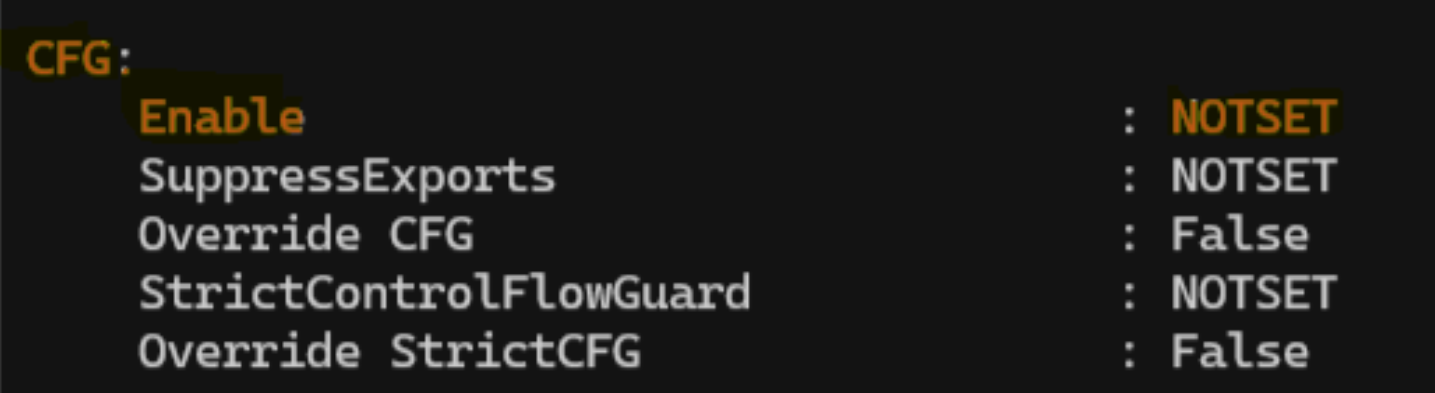
Get-ProcessMitigationlets you query the mitigation settings of a running process, including whether CFG is enabled:Get-ProcessMitigation -System
- If the result shows
OFF, CFG is not enabled for that process.ONorNOTSETindicates CFG is enabled or set to the default configuration.
- PowerShell – Binary-level Check Across Systems
Get-PESecurityis a PowerShell module that examines Windows binaries to determine whether they were compiled with various security mitigations, including CFG. The relevant characteristic is stored asGUARD_CFwith a value of0x4000, which makes it possible to check for CFG support at the binary level rather than just the running-process level.
- EDR – Fleet-wide Check
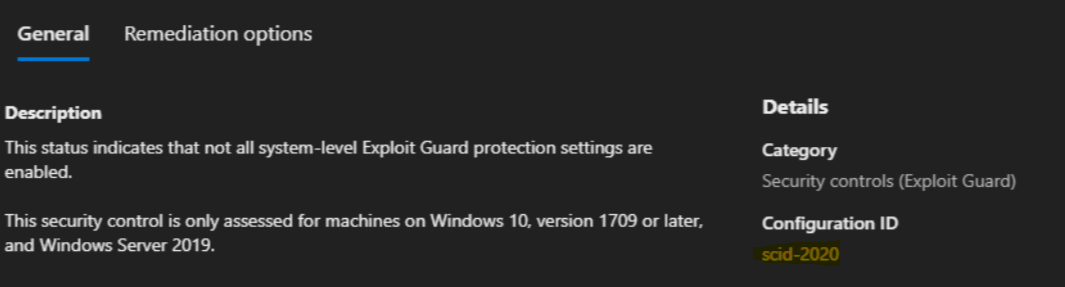
- If you’re running Microsoft Defender for Endpoint, Advanced Hunting can assess CFG status across your environment:
DeviceTvmSecureConfigurationAssessment| where ConfigurationID == "scid-2020"| project DeviceName, OSPlatform, IsCompliant, Context| join kind=leftouter (DeviceInfo | project DeviceName, PublicIP, IsAzureADJoined) on DeviceName| summarize count() by IsCompliant, OSPlatform
- This gives you a fleet-wide compliance view rather than a single host check, which is more useful for spotting systems where CFG has been disabled outside of normal configuration management.
- If you’re running Microsoft Defender for Endpoint, Advanced Hunting can assess CFG status across your environment:
If your organization has visibility into CFG status at scale, whether through EDR telemetry, binary analysis, or process mitigation checks, it’s worth adding to your detection coverage. This is a small, quiet step in an attack chain, but it’s also a step that’s currently easy to miss.

