Tag Archives: MITRE

APT41’s Dodgebox: Defense Evasion and Detection Strategies

While conducting threat hunting research, I came across a defense evasion behavior in APT41’s Dodgebox malware that I haven’t seen formally documented as its own technique in MITRE ATT&CK. This post walks through what I found, why it matters, and how to detect it.

The Technique

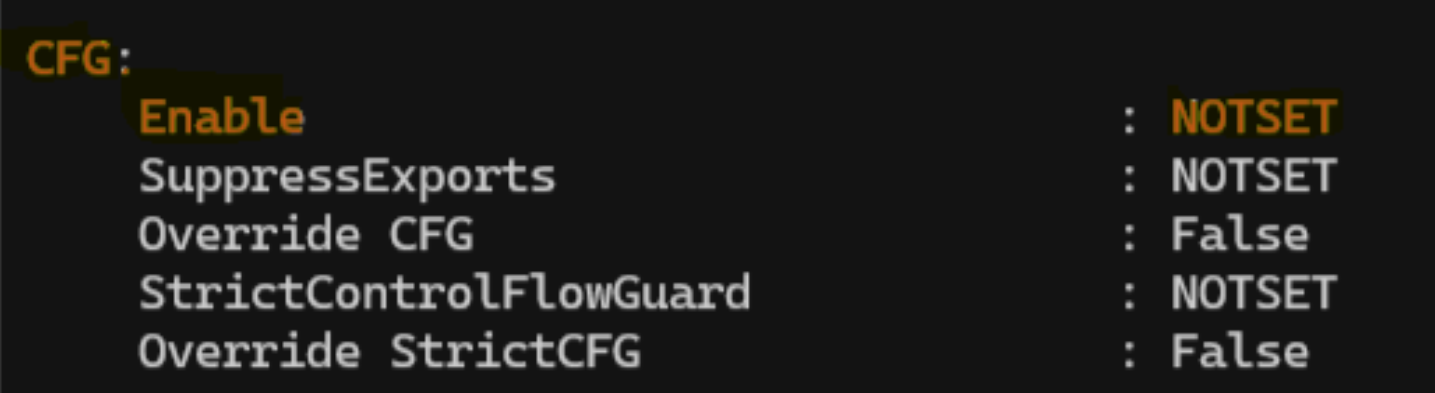
Dodgebox checks whether Control Flow Guard (CFG) is enabled on the system, and if it is, attempts to disable it.

CFG is a security feature built into modern Windows systems that restricts where an application can execute code. It’s designed to make it harder for attackers to exploit memory corruption vulnerabilities, like buffer overflows, to hijack control of a running program. When CFG is bypassed, an attacker significantly improves their odds of successful code execution and privilege escalation.

According to Zscaler’s ThreatLabz research on Dodgebox, the malware detects CFG status and, if active, modifies the LdrpHandleInvalidUserCallTarget function in ntdll.dll to disable it, effectively removing that security layer before proceeding.

Reference: Zscaler ThreatLabz, DodgeBox: A deep dive into the updated arsenal of APT41
Where This Sits in ATT&CK

This behavior maps cleanly to Defense Evasion, and specifically to the Disable or Modify Tools technique (currently T1685 in ATT&CK’s structure, previously catalogued under T1562.001). ATT&CK already documents APT41’s broader pattern of in-memory patching of security interfaces like AMSI and ETW inside ntdll.dll to evade detection without triggering obvious service termination events. The CFG check-and-disable behavior is consistent with that same pattern, but as of this writing, I haven’t found it documented as its own procedure example under any current sub-technique.

Worth noting separately: before disabling CFG, the malware first has to determine its status. That discovery step is arguably its own consideration, closer to System Information Discovery, and shouldn’t be conflated with the disable action itself.

Detection

    There are a few practical ways to check CFG status and hunt for this behavior.

    1. PowerShell – Per-Process Check
      • Get-ProcessMitigation lets you query the mitigation settings of a running process, including whether CFG is enabled:
        • Get-ProcessMitigation -System
      • If the result shows OFF, CFG is not enabled for that process. ON or NOTSET indicates CFG is enabled or set to the default configuration.
    2. PowerShell – Binary-level Check Across Systems
      • Get-PESecurity is a PowerShell module that examines Windows binaries to determine whether they were compiled with various security mitigations, including CFG. The relevant characteristic is stored as GUARD_CF with a value of 0x4000, which makes it possible to check for CFG support at the binary level rather than just the running-process level.
    3. EDR – Fleet-wide Check
      • If you’re running Microsoft Defender for Endpoint, Advanced Hunting can assess CFG status across your environment:
        • DeviceTvmSecureConfigurationAssessment
        • | where ConfigurationID == "scid-2020"
        • | project DeviceName, OSPlatform, IsCompliant, Context
        • | join kind=leftouter (DeviceInfo | project DeviceName, PublicIP, IsAzureADJoined) on DeviceName
        • | summarize count() by IsCompliant, OSPlatform
      • This gives you a fleet-wide compliance view rather than a single host check, which is more useful for spotting systems where CFG has been disabled outside of normal configuration management.
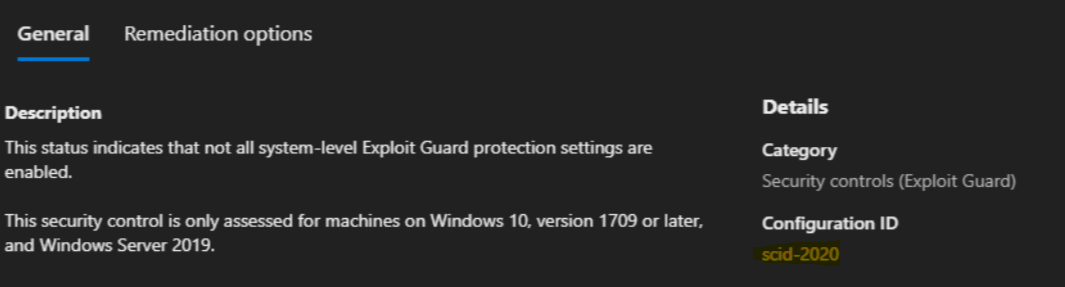
    CFG Status
    SCID-2020

    If your organization has visibility into CFG status at scale, whether through EDR telemetry, binary analysis, or process mitigation checks, it’s worth adding to your detection coverage. This is a small, quiet step in an attack chain, but it’s also a step that’s currently easy to miss.


    References

    Tagged , , , , ,

    What your CMD command line security is missing

    Here is what your should do to increase your cmd command line security
    Gap in Your Command-line Security

    I want to write a follow-up on my last post about chain-of-commands not properly being captured by many defensive tools. During further research and testing, I observed that built-in Windows Command line actions are also not captured.

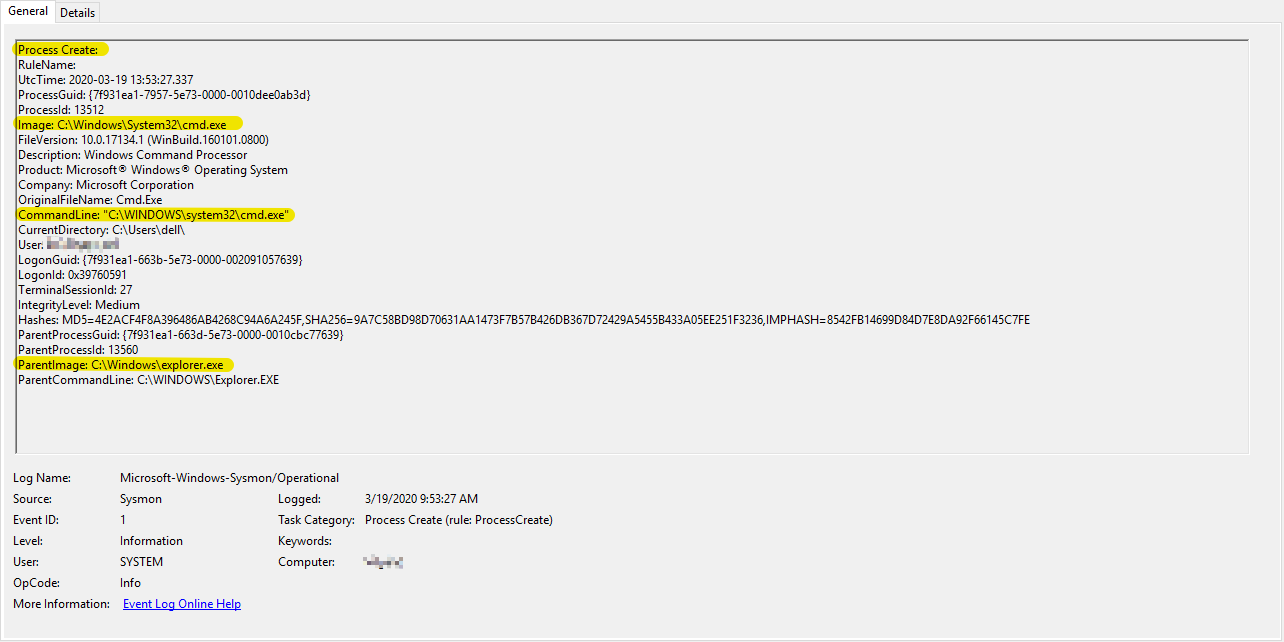
    For instance, a simple act of deleting a file from the CMD Command-line is neither captured in SYSMON or in Windows Event logs:

     CMD.EXE > del /f test_file.txt
    file_del_cmd

    The only event observed in SYSMON for the above action was the following:

    del_file

    Additionally, nothing notable was observed in Windows Event logs.

    This simple act of deleting a file is a common technique used by the adversaries. This action could be done both manually or through malware. One example where this technique is used is in the case of the Robbinhood Ransomware. In this sandbox report, you can see various quite-delete operations that Robbinhood malware executes.

    I understand that there are other means of extracting CMD Command-line execution content. However, many of those require digital forensics analysis.

    For instance, you can review Command-line history by analyzing the memory capture using a tool such as Volatility with plugins: cmdscan, consoles or just running strings against the memory image. However, this type of analysis requires either a memory image capture or a specialized commercial solution that can scan live memory content (example). Unfortunately, most organizations do not have access to these enterprise-solutions thus their ability to hunt for such Command-line techniques becomes limited.

    MITRE ATT&CK Evaluations also has an entry for this technique 9.C.4 File Deletion where you can select various technologies from the drop-down list and see how they detect this technique.

    If you are collecting and hunting full CMD Commandline, I would love to hear about your feedback; especially, if the technology/method that you are using is not one of the ones tested in ATT&CK Evaluations above.

    https://attackevals.mitre.org/technique_comparison.html?round=APT29&step_tid=9.C.4_T1107&vendors=


    Tagged , , , , , ,

    Who Else is Blind to Chain-of-Commands | Adversary Technique

    photo-1567635102602-73000b63761a

    I recently came across a technique that potentially allows the adversary to both execute and evade detection that is simple to execute, however, to my surprise, not entirely captured by detection tools (at least not by those that I have tested).

    In this quick post, I will share my findings & analysis and I am interested in any feedback around options for detection.

    Technique Description:ย The adversary executes a custom-developed, chain-of-commands that they execute together as a single command-line using Windows CMD.EXE. This execution could be achieved through malware or the adversary could manually perform it on a system under their control.

    One of the key advantages of this technique for the adversary is that, as of this writing, SYSMON (10.0.4.2), and maybe even some commercial EDR solutions, do not capture such chain-of-commands as a single execution. Instead, these tools typically log this activity separately. I found nothing in the SYSMON logs or Windows native event logs that indicate that multiple commands were executed together as part of a chain.

    If what I have observed in true, then I think this lack of total context makes it difficult for incident responders, threat hunters, or security monitoring professionals to identify such activity as anomalous among a large number of events. On the other hand, it allows the adversary to hide in plain sight.

    Technique Use in Real Malware: One particular malware where I found this technique being used was in the RobbinHood Ransomware. In my analysis of these two samples (1, 2), this chain-of-command technique can be observed in a couple different ways. However, in one specific instance, RobbinHood uses this technique to check for network connectivity, terminates its previously-launched malicious process and subsequently deletes that same process executable quietly from the system permanently. The command itself was as follows:

    ping 1.1.1.1 -n 1 -w 3000 > โ€ฉ& taskkill /f /im steel.exe & Del /f /q โ€˜C:\Users\user\Desktop\steel.exeโ€™

    Atomic Test: To simulate the above technique, I developed this benign chain-of-commands, which essentially, first checks network connectivity by making a single ICMP ping request to a Googleโ€™s public DNS address, and then it terminates a running Chrome web browser process.

    ping 8.8.8.8 -n 1 -w 3000 > Nul & taskkill /f /im chrome.exe

    chain_of_command_atomic_test

    Here is what I observed in SYSMON on the atomic test above:

    First, you see an entry for PING.EXE portion of the chain-of-command:

    ping_sysmon

    Second, you see separate entry for the latter portion of the chain where the CHROME.EXE process is terminated:

    taskkill_sysmon

    It is evident in the SYSMON events above that both processes share the same Parent Process ID. However, while both events share the same ParentProcessID of 12120, there isn’t any explicit indication that these commands were executed together as part of a chain-of-commands. Which I believe is an important context that is missing as it would not only stick-out during Incident Response/Hunt/Monitoring; especially if the system under investigation and has no business purpose to running such chain-of-commands.

    I do want to highlight that I think SYSMON is capturing what it is supposed to capture – a process creation. It captured as each process was created on the system; which was separately one at a time. The limitation appears to be at the operating system level where this data is not captured.

    I look forward to feedback and how are you detecting this technique in your environments!

    Reference:

    MalwareReference
    Trojan; possibly Big Bang APT1. https://bit.ly/2xaAVNr
    2. https://bit.ly/2KBddgp
    3. https://bit.ly/3cUVkFH
    Raccoon Stealerhttps://bit.ly/35i8dXP
    InstallCube Trojanhttps://bit.ly/2yMjmDI
    GreenKit Bitcoin Mining Rootkithttps://bit.ly/3aDRI9i
    TROJ_VICEPASS.A1. https://bit.ly/2y2PrHr
    2. https://bit.ly/2xem5Wm

    Tagged , , ,
    Advertisements